A task and time tracker that helps people prove the value of their work
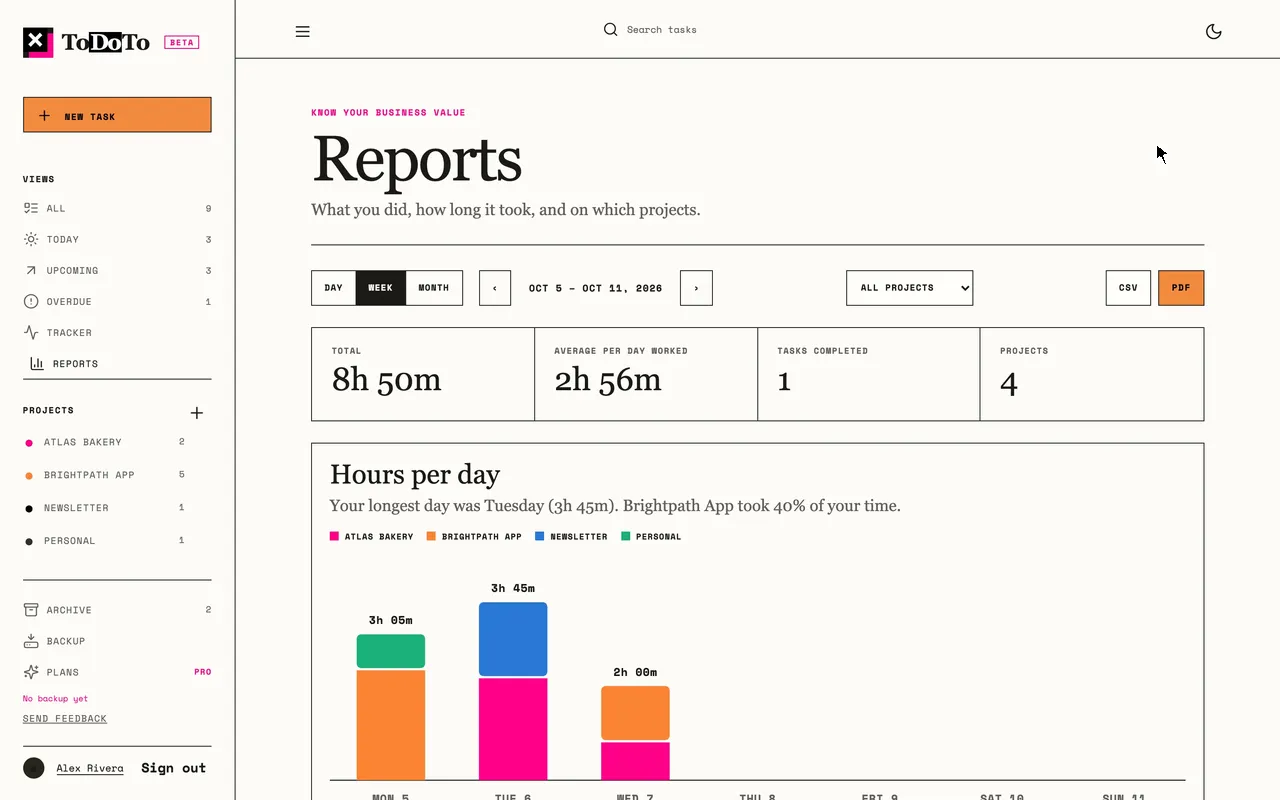
ToDoTo is a task list with a timer built in. You write what you are working on, one click starts the clock, and reports show where your hours went: by day, week, month and project. When you need proof of your work, you export it as CSV or PDF.
It responds to a simple question most professionals cannot answer with evidence: I worked all day. On what? Without that answer, impact gets negotiated away in performance reviews, client conversations and budget discussions.
ToDoTo is deliberately not a project management tool. It is a personal layer of proof: your tasks, your time, and what they are worth.
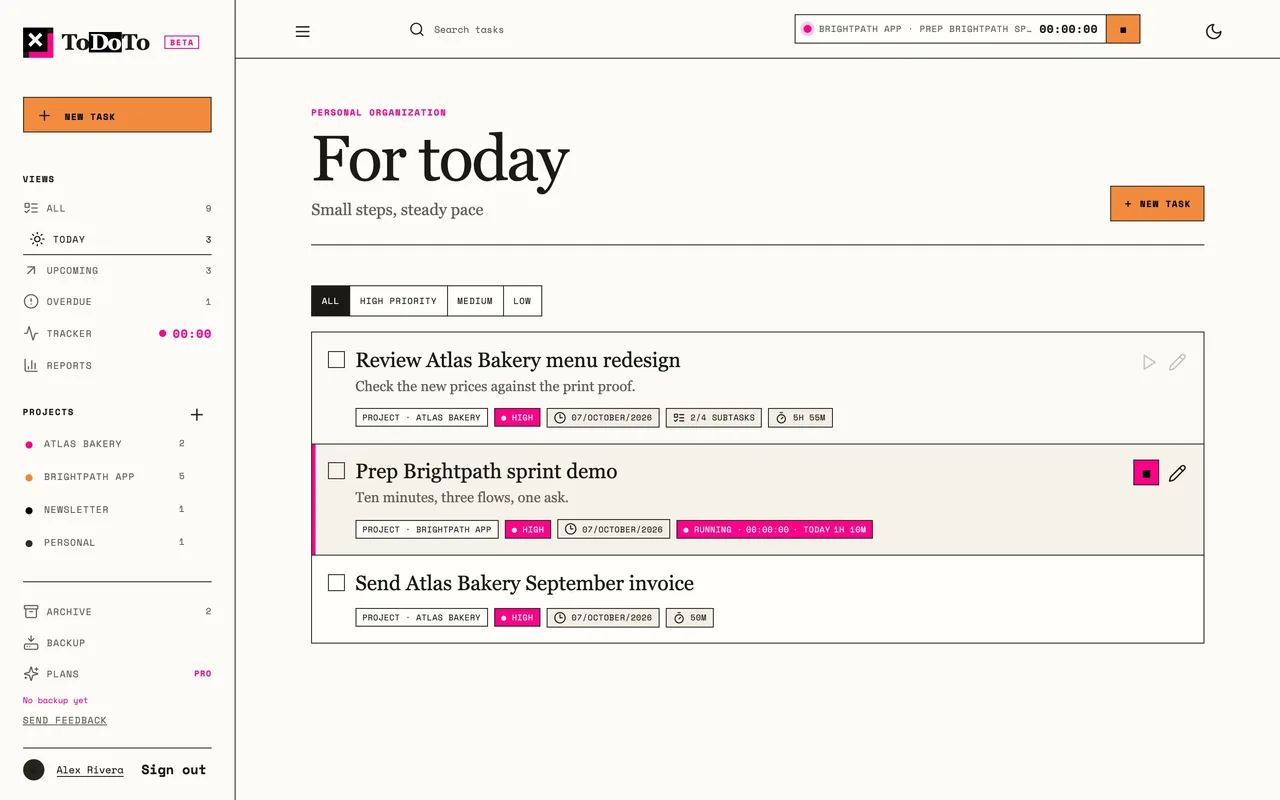
The live product: tasks grouped by project, with the running timer always visible.
02 // My Role
Founder, product owner, designer
Scope of ownership
Product strategy, positioning and scope decisions
Interaction design, visual identity and design system
Every feature mocked up inside the real app before it was built
Privacy model, privacy notice and account deletion
Security posture and release quality bar
Pricing model and go-to-market
Directing implementation, reviewing every release
Cross-functional scope
In a larger team, this scope would usually be split across:
ProductDesignEngineeringSecurityPrivacyMarketing
03 // Current Stage
Live, open beta
ToDoTo is a live product at todoto.diegonmtz.com. Anyone can sign up with Google or email, for free, with no card.
It is not a prototype. Data lives in each person's account, syncs between computer and phone, and every change is kept as history.
Today the product supports:
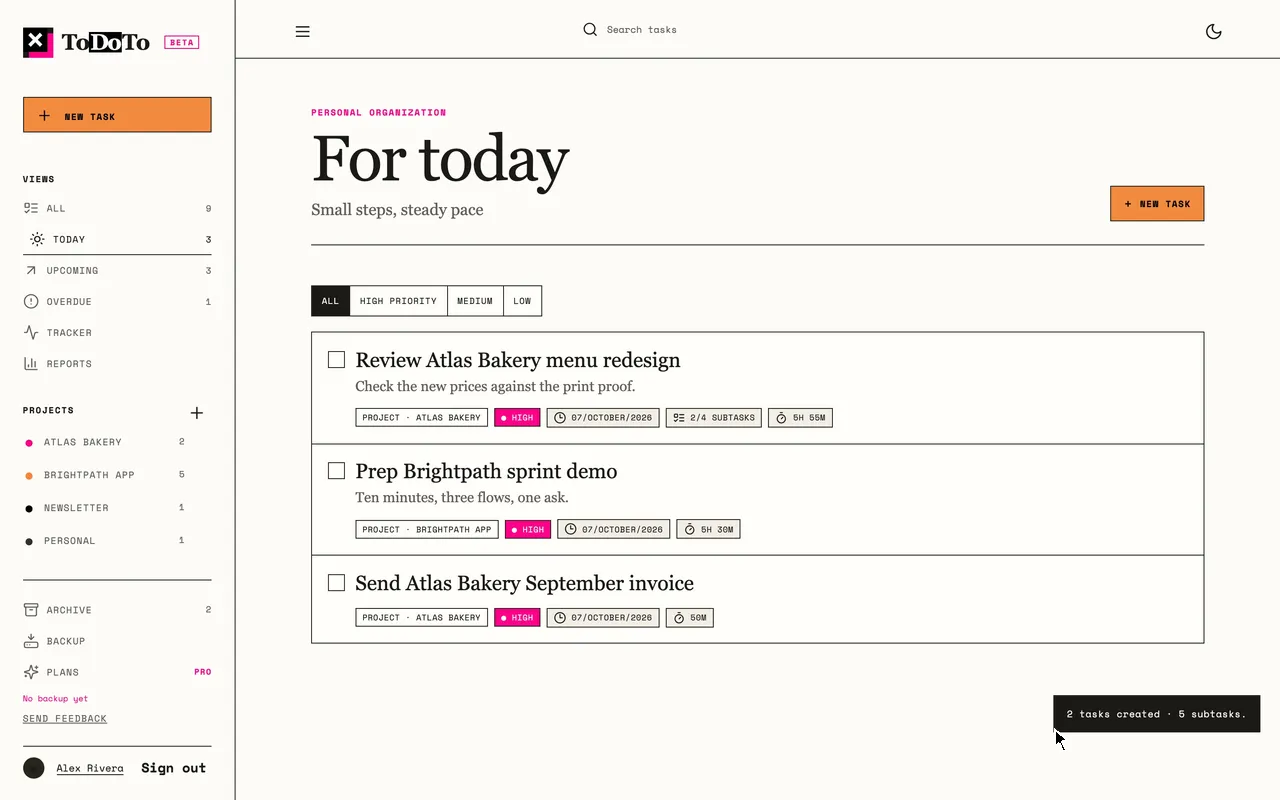
Projects, tasks and subtasks, including pasting a whole indented list
One-click timer, manual time, and edits across days
Reports by day, week and month, with CSV and PDF exports
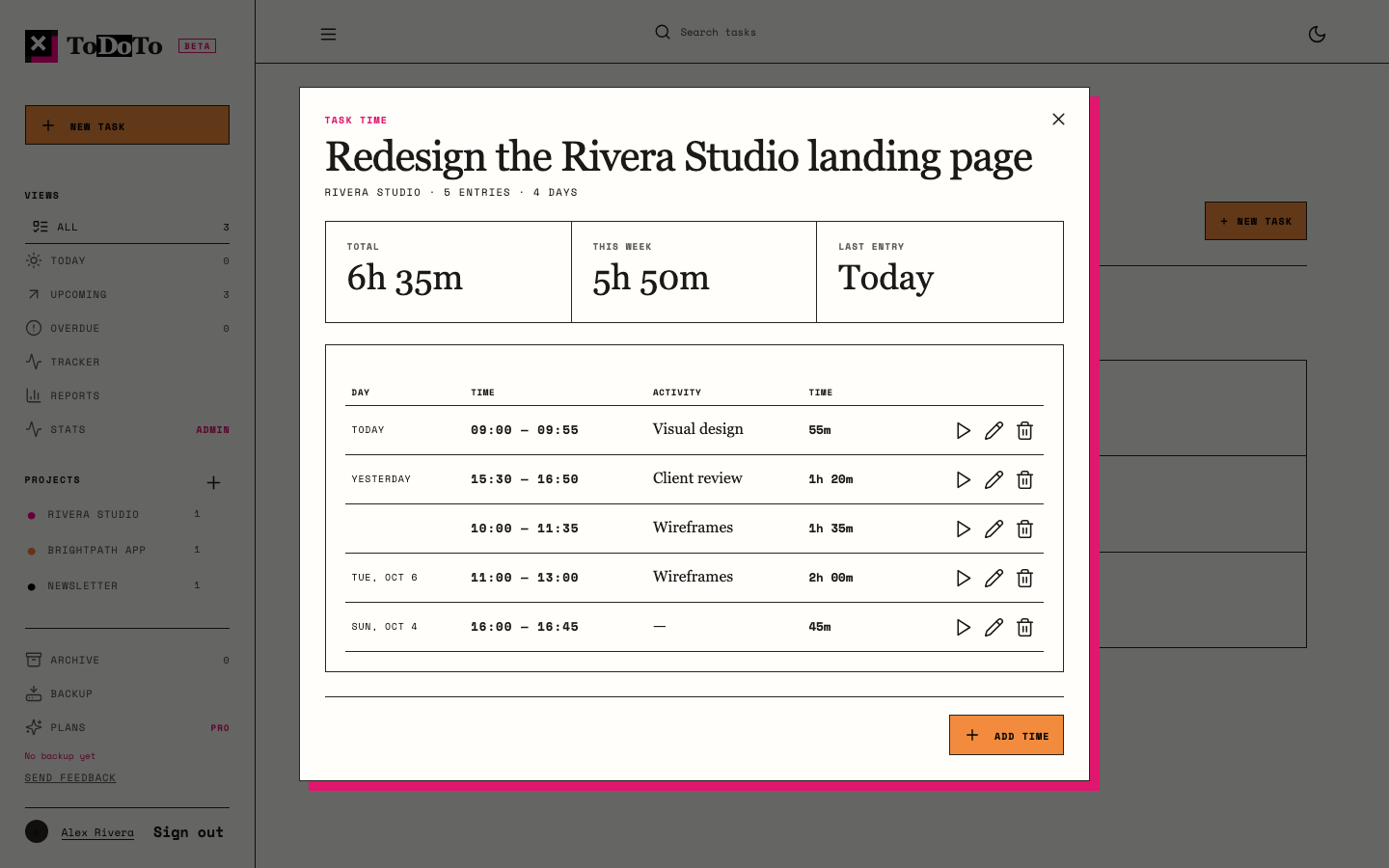
The full history of time per task
English, Español and Português
Backups, data download and one-step account deletion
04 // The Problem
Impact you can't show gets negotiated away
Employees are asked to prove their impact at review time, months after the work happened. Freelancers need to bill and defend their hours. In both cases, the evidence is scattered across calendars, chat threads and memory.
Existing tools fall on two extremes. Project management suites track work for the team and the manager, not for the person doing it. Time trackers measure minutes but lose the story of what those minutes produced.
Product framing
The question was not how to manage projects better. It was: what is the smallest tool that lets one person capture what they do, with almost no effort, and turn it into proof of value?
05 // Product Thesis
Not project management, on purpose
If capturing work takes more than a click, people stop doing it. ToDoTo wins by doing less: one list, one clock, one place where every minute lives, and reports that turn it into evidence.
What it does
Capture tasks fast, or paste the whole list at once
Start the clock from the task itself
Show where the hours went, by project and period
Export the proof, and let people own their data
What I said no to
Gantt charts, boards and dependencies
Assignees and comments
A quick-add line that duplicated the task form
Several timers running at once
06 // Design Decisions
Every minute in exactly one place
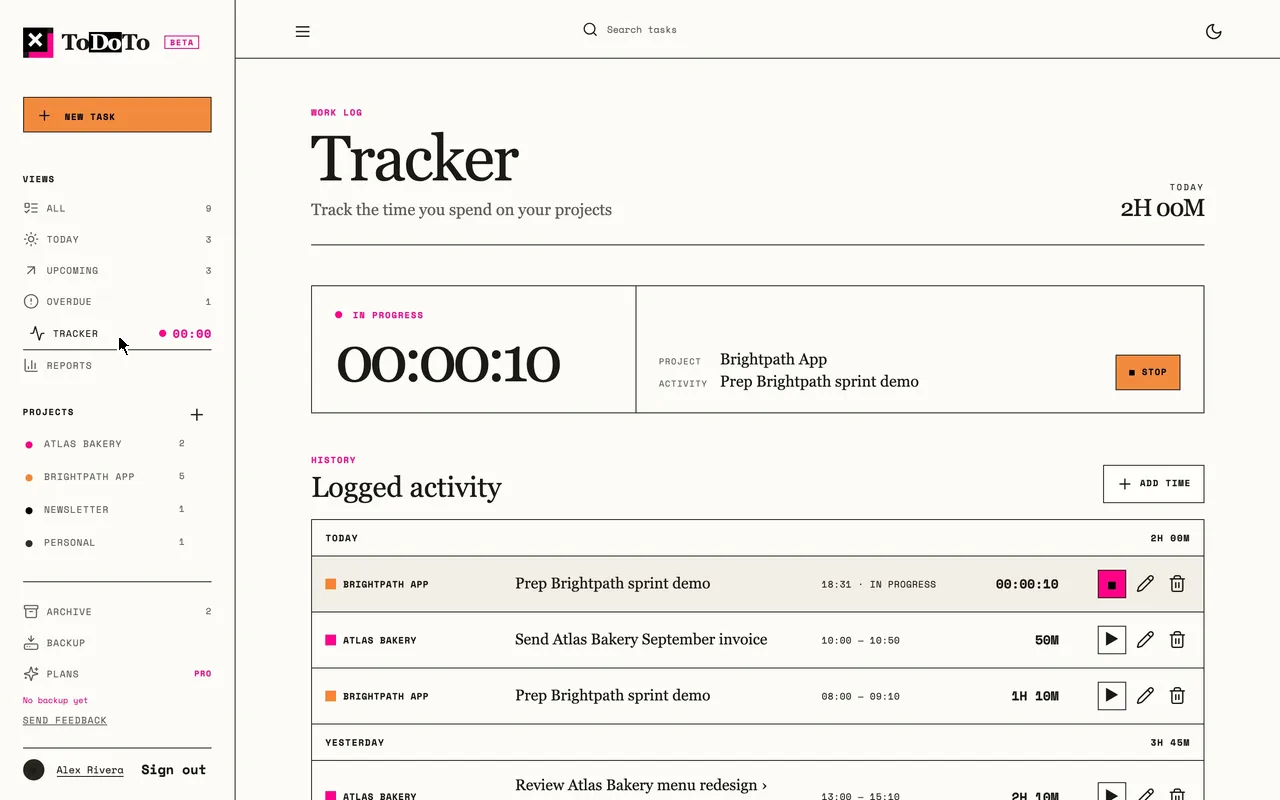
One timer at a time. Starting a new one stops the last, so time is never counted twice and reports stay honest.Paste the whole list. An indented list becomes tasks and subtasks in one step, because most work already exists in notes.Reports as the core. Day, week and month views with hours per project and the tasks that took the most time.Time from the task. Each task opens its own history, where any entry can be continued, edited or removed.
One visual language across the product, the landing page and this site: square corners, 1px lines, Space Mono labels, serif headings, pink used sparingly, orange only for the main action.
07 // Trust & Privacy
Your work is yours
A tool that records how you spend your day has to earn trust before it earns usage. That shaped several decisions that are invisible in a demo but matter in real use.
A public privacy notice in three languages, written in plain words
Download all your data at any time
Delete your account in one step, which erases every row and signs out other devices
Data is never sold or shared
Replacing third-party analytics
The beta started with a third-party analytics service. I replaced it with our own counting: home-page visits per day, source, language and browser time zone. No cookies, no IP addresses, no visitor profiles.
Feature use is counted as totals, never as a timeline of what one person did, and never what they write.
08 // Quality as a Feature
Fast, secure, accessible, and measured
A+Mozilla ObservatoryOct 7, 2026
A+SSL LabsOct 7, 2026
99 / 91Lighthouse desktop / mobileOct 8, 2026
100Lighthouse accessibilityOct 8, 2026
Quality claims on the landing page are only the ones the product can back, each with the tool and the date. When the mobile score dropped from 97 to 91 after the landing launched, the badge was changed to the real number.
238 automated tests run before every release, including accessibility checks on desktop and phone
A strict content security policy: the site loads code only from itself
The whole product in English, Español and Português
09 // Business Decisions
No monthly subscriptions
Free during the beta, with no card. The basic timer and data export are never paywalled.
Pro as one yearly payment, with no automatic renewal. People pay for a year, not for a subscription they forget to cancel.
Teams on request only, to keep the product personal.
$0 in external services until there is revenue. Exports run in the browser; email and backups use the existing hosting.
Invoices on request, so payments are sales from day one.
Human support: the person who built it answers.
10 // How It Was Built
Product judgment, executed with AI agents
01 · Own experience
I started as the user
As a design and product leader, I needed to show what my time produced, not just that I was busy. ToDoTo began as the tool I wanted for myself, and I still use it for my own work.
02 · Research
What already exists
I reviewed time trackers built for billing and teams (such as Toggl, Clockify and Harvest) and project suites built for managers (such as Asana, Jira and Notion). The gap was a personal tool that keeps tasks and time together and turns them into proof.
03 · Walkthroughs
Testing as a new user
Before each phase, I walked through the product as a first-time user and turned what got in the way into the next release: new tasks landing in the wrong project, a timer that was hard to find, too many ways to add a task.
ToDoTo went from its first commit on October 5 to eleven public releases between October 7 and 9, 2026. I worked as the product owner and designer, and directed AI coding agents for the implementation.
The agents wrote code. The decisions stayed human: what to build, what to cut, how it should feel, and whether a release was good enough to ship.
The loop for every feature
A mockup drawn inside the real app, on desktop and phone
My approval or changes
Implementation with tests on a separate branch
Review, the full test suite, and a check on the live site after upload
11 // Measuring & Next
What I would validate next
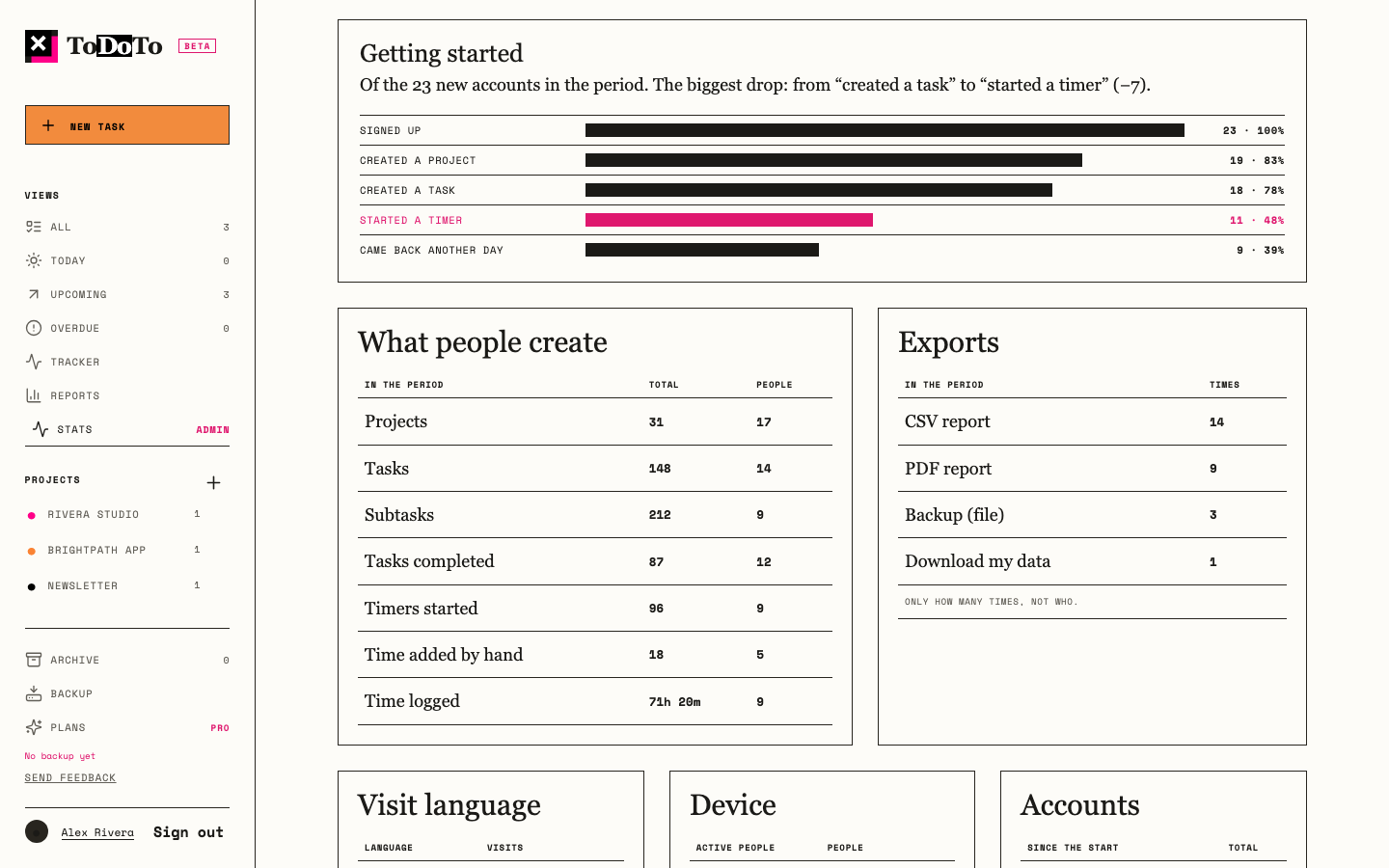
An admin-only stats page shows visits, sign-ups and conversion by source and place, the first steps of new accounts, what people create, and which exports they use.
Where new accounts stop: before their first task, or before their first timer
Which channels bring people who come back
Whether reports and exports are what people return for
Which Pro features people would pay a year for
The stats page, shown with illustrative numbers: where new accounts stop, what people create, and which exports they use.
12 // Reflection
Small product, real conditions
The most important decisions in ToDoTo were the things it does not do. Saying no to project management kept the product fast to use, honest in its numbers, and clear in its promise: know the value of your work.